What is Openclaw?
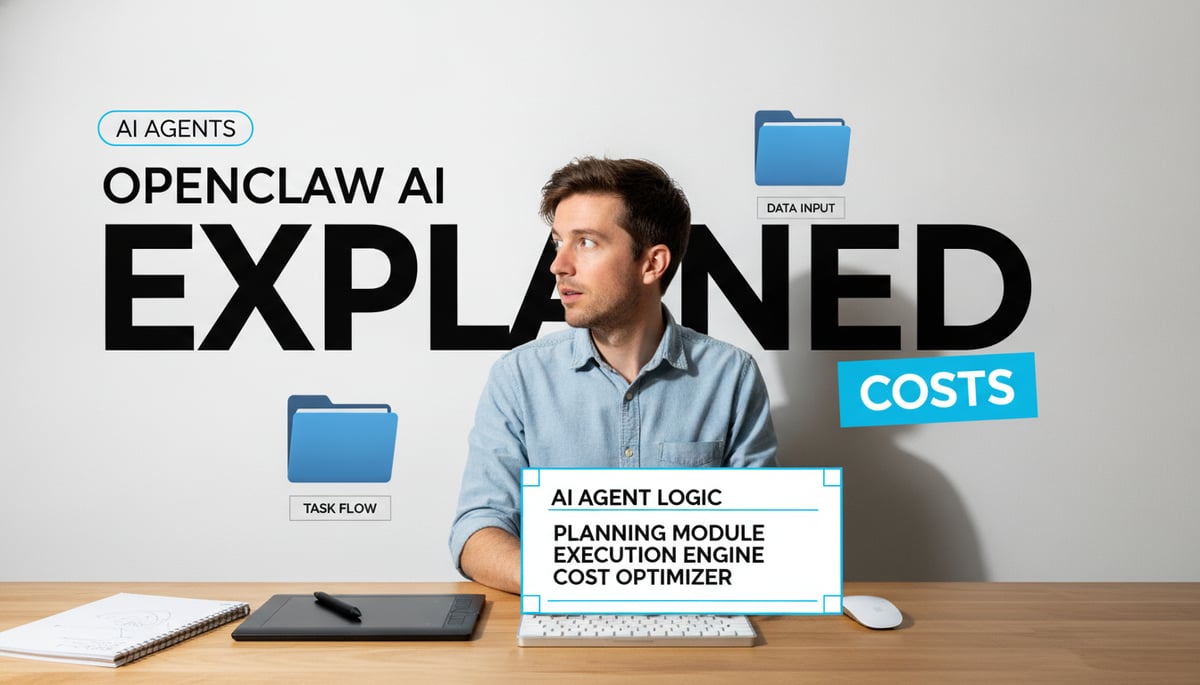
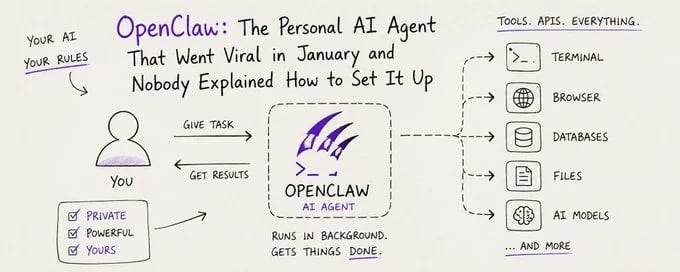
OpenClaw is a free, open-source autonomous AI agent that runs locally on your computer and connects to the messaging apps you already use. You message it on WhatsApp or Telegram; it talks back, but unlike ChatGPT or Claude's web interface, it can also run shell commands, control your browser, read and write files on your disk, and trigger multi-step workflows on your behalf.
It's the open-source project that hit hundreds of thousands of GitHub stars in a matter of weeks and got covered by Wired, the Verge, and Reuters in the same breath. So what is OpenClaw, what is OpenClaw AI actually doing on your machine, and is OpenClaw free in the way you'd want it to be?
This guide answers all three, plus what it costs in practice, who it's for, and what to watch out for before you install it.
TL;DR: OpenClaw AI Agent at a Glance
- What it is: An MIT-licensed, open-source autonomous AI agent that runs on your machine and lives in the messaging apps you already use (WhatsApp, Telegram, Slack, Discord, Signal, iMessage).
- What it does: Goes beyond chatbot replies. It runs shell commands, automates your browser, reads and writes files, manages calendars, and sends email, all triggered by a text message or a configurable heartbeat.
- Is OpenClaw free? The software is 100% free. Real operating costs come from AI model API tokens and hosting, typically $25–$50/month for small business use, less for personal projects, more for heavy automation.
- Who it's for: Developers, power users, and small teams who want a private, customizable assistant and are comfortable with the command line.
- What to watch: Prompt injection, malicious community skills, and the broad system permissions it requires. It's not a turnkey consumer product.
How the OpenClaw AI Agent Works Under the Hood
When you run openclaw gateway, a single Node.js process starts. That process is the entire system. Five subsystems live inside it :
- Channel adapters normalize messages from each platform (Baileys for WhatsApp, grammY for Telegram, etc.) into a common format and serialize replies back out.
- Session manager resolves sender identity and conversation context. Direct messages collapse into a main session; group chats get their own.
- Queue serializes runs per session, so if a message arrives mid-task it can hold, inject, or collect it for a follow-up turn.
- Agent runtime assembles context (AGENTS.md, SOUL.md, TOOLS.md, MEMORY.md, daily log, conversation history) and runs the agent loop: call model → execute tool calls → feed results back → repeat.
- Control plane exposes a WebSocket API on port 18789. The CLI, macOS app, web UI, and iOS/Android nodes all connect here.
The agent has a heartbeat scheduler that wakes it up at a configurable interval (every 30 minutes by default, every hour with Anthropic OAuth). On each tick, the agent reads a checklist from HEARTBEAT.md in its workspace and either takes action or responds with HEARTBEAT_OK, which the gateway silently drops.
What the agent can actually do depends on your tool policies and approval settings. You might allow email reads but require approval before sends. Disable the guardrails and it executes without asking. This configuration flexibility is part of why developers find it compelling, and part of why security researchers find it concerning.
Main Capabilities of OpenClaw
The official documentation and community guides list these core capabilities:
- Multi-channel gateway. Single gateway process talks to WhatsApp, Telegram, Discord, Slack, Signal, iMessage, and more through extension packages.
- Multi-agent routing. Isolated sessions per agent, workspace, or sender. Group chats stay separate from your main session.
- Media support. Send and receive images, audio, and documents.
- Web Control UI. Browser dashboard at
http://127.0.0.1:18789/for chat, config, sessions, and nodes. - Mobile nodes. Pair iOS and Android nodes with Canvas support, so you can drive the agent from your phone.
- Skills system. Modular
SKILL.mdfiles that teach the agent how to use specific tools or services. Skills can be bundled, installed globally, or stored per workspace. - Model-agnostic routing. Configure Anthropic, OpenAI, Google, or local models in
openclaw.jsonwith auth profile rotation and a fallback chain that uses exponential backoff when a provider goes down. - Persistent file-based memory. Conversations, long-term memory, and skills stored as Markdown and YAML files under
~/.openclaw/. Inspect them in any text editor, back them up with Git, grep through them, or delete them. - Browser automation. Built-in browser control for scraping, form filling, and multi-step web tasks.
- Heartbeat-driven autonomy. The agent wakes up on a schedule to run tasks you defined, not just tasks you prompt it for.
Common Use Cases for the OpenClaw AI Agent
The most-cited use cases from official docs, community write-ups, and developer reports:
Personal productivity. Email triage, calendar management, daily summaries, file organization, and research briefs sent to your phone via WhatsApp or Telegram.
Lead generation for small businesses. Prospect research, website auditing, and CRM updates. Wikipedia cites adoption specifically among small businesses and freelancers for these workflows.
Developer workflows. Shell commands, code edits, file operations, and CI/CD triggers from a chat app. Similar to Claude Code or Codex, but accessible from messaging.
Browser automation. Form filling, scraping, and multi-step web tasks. Useful for repetitive admin work that doesn't have an API.
Cross-app orchestration. One workflow that touches Slack, Google Calendar, GitHub, and your CRM. OpenClaw acts as the glue because it lives on your machine and has APIs to all of them.
Community experiments. Moltbook, a social network where over a million AI agents interact autonomously while humans watch. One developer's agent reportedly negotiated $4,200 off a car purchase over email while he slept; another filed a legal rebuttal to an insurance denial without being asked.
That last category is where OpenClaw moves from practical automation into the territory where you should pay close attention to what permissions you've granted and what skills you've installed.
Setup and System Requirements
OpenClaw's official documentation lists minimum requirements as 2GB RAM and 2 CPU cores for basic chat, or 4GB if you want browser automation (Milvus). In practice, this is the realistic floor:
| Component | Minimum | Recommended |
|---|---|---|
| RAM | 2 GB | 4 GB+ (16 GB for local LLM inference) |
| Storage | 20 GB free | 50 GB+ SSD |
| CPU | 2 cores | 4+ cores |
| GPU | Not required for cloud models | Required for local models (24 GB VRAM for 32B+ parameter models) |
| OS | Linux (Ubuntu 20.04+), macOS, Windows 11 with WSL2 | Same |
Software prerequisites:
- Node.js 22.14 or newer. Verify with
node --version. - npm (comes with Node.js).
- Git for cloning the repository.
- Docker optional but recommended for containerized deployment.
Install the CLI:
# macOS / Linux
curl -fsSL https://openclaw.ai/install.sh | bash

# Windows PowerShell
iwr -useb https://openclaw.ai/install.ps1 | iex
Then run the onboarding wizard:
openclaw onboard --install-daemonThe wizard walks you through API auth, gateway configuration, and optionally connecting a messaging channel. The --install-daemon flag registers the gateway as a background service (systemd on Linux, LaunchAgent on macOS) so it starts automatically.
Verify it's running:
openclaw gateway statusOpen the dashboard:
openclaw dashboardThis loads the Control UI at http://127.0.0.1:18789/. You can chat with your agent right from the browser without connecting any external channel first.
One thing worth knowing early: in late January 2026, posts circulated showing developers unboxing multiple Mac Minis to run OpenClaw, including a viral post of 40 units on one desk. The actual hardware requirements are far more modest. The Mac Mini trend was about isolation (a machine you can physically unplug if something goes wrong) and uptime (always-on, not dependent on cloud availability), not about compute needs.
Who the OpenClaw AI Agent Is Best For
OpenClaw is a great fit if you're:
- A developer or power user comfortable with the command line, Node.js, and editing config files.
- Privacy-conscious. You want your conversations, memory, and skills on your own disk, not in a vendor's cloud.
- Already living in messaging apps. If your phone is glued to WhatsApp or Telegram, talking to your agent there feels natural.
- Willing to trade polish for control. OpenClaw doesn't have a slick consumer onboarding. You will read docs, edit YAML, and troubleshoot.
- Building automations that span multiple services. Email + calendar + Slack + GitHub + browser in one workflow is exactly what it's designed for.
It's a poor fit if you're:
- Not technical. A maintainer going by "Shadow" warned on Discord: "if you can't understand how to run a command line, this is far too dangerous of a project for you to use safely".
- Looking for a turnkey consumer product. Setup takes time, debugging happens, and you'll read GitHub issues.
- In a regulated environment without security review. The broad permissions OpenClaw requires make compliance audits harder. Chinese authorities restricted state-run enterprises and government agencies from running OpenClaw on office computers in March 2026 specifically for this reason.
- Risk-averse about prompt injection. The agent processes untrusted text from emails, web pages, PDFs, and chat messages. Attackers can embed instructions in that data.
Is OpenClaw Free? The Real Cost Breakdown
This is the question most people ask first, and the honest answer has four layers.
Layer 1: The license. OpenClaw is MIT-licensed open-source software. Download, install, modify, and redistribute it at no cost. The license requires you to preserve the copyright notice in distributions, but there are no royalties, no per-seat fees, and no subscription.
Layer 2: Hosting. OpenClaw needs a continuously running machine or VPS to monitor triggers and execute workflows. A $5–$15/month VPS handles most personal and small-team deployments.
| Server Tier | Specs | Monthly Cost | Best For |
|---|---|---|---|
| Entry-level | 1–2 vCPU, 2–4 GB RAM | $5–$10 | Personal projects, light automation |
| Mid-range | 2–4 vCPU, 8 GB RAM | $10–$20 | Small teams, multiple workflows |
| High-performance | 4+ vCPU, 16+ GB RAM | $20–$40+ | Browser automation, multi-agent setups |
Running it on an old laptop at home cuts hosting to $0, but you lose uptime guarantees.
Layer 3: AI model tokens. This is where the real variability lives. Every conversation, decision, and automation step triggers an API call to a language model. You pay per token:
| Model | Input (per 1M tokens) | Output (per 1M tokens) | Category |
|---|---|---|---|
| GPT-4o-mini | $0.15 | $0.60 | Budget |
| Llama 3.1 8B (local) | $0.05 | $0.08 | Budget |
| Claude Haiku 4.5 | $1.00 | $5.00 | Mid-tier |
| GPT-4o | $2.50 | $10.00 | Mid-tier |
| Claude Opus 4.5 | $5.00 | $25.00 | Premium |
A single typical OpenClaw interaction (roughly 1,000 input tokens and 500 output tokens) costs about $0.00045 with GPT-4o-mini or $0.0075 with GPT-4o. At 1,000 interactions per month, that's $0.45 versus $7.50. Scale that to thousands of multi-step workflows with browser automation and you can reach $50–$150/month in API spend alone.
Layer 4: Local models. Run OpenClaw entirely on local models via Ollama or LM Studio and your per-token cost drops to near zero. The trade-off is hardware: OpenClaw needs at least 64K tokens of context, community experience puts the reliable threshold at 32B+ parameters, which means at least 24 GB of VRAM. A capable local setup runs thousands of dollars in GPUs.
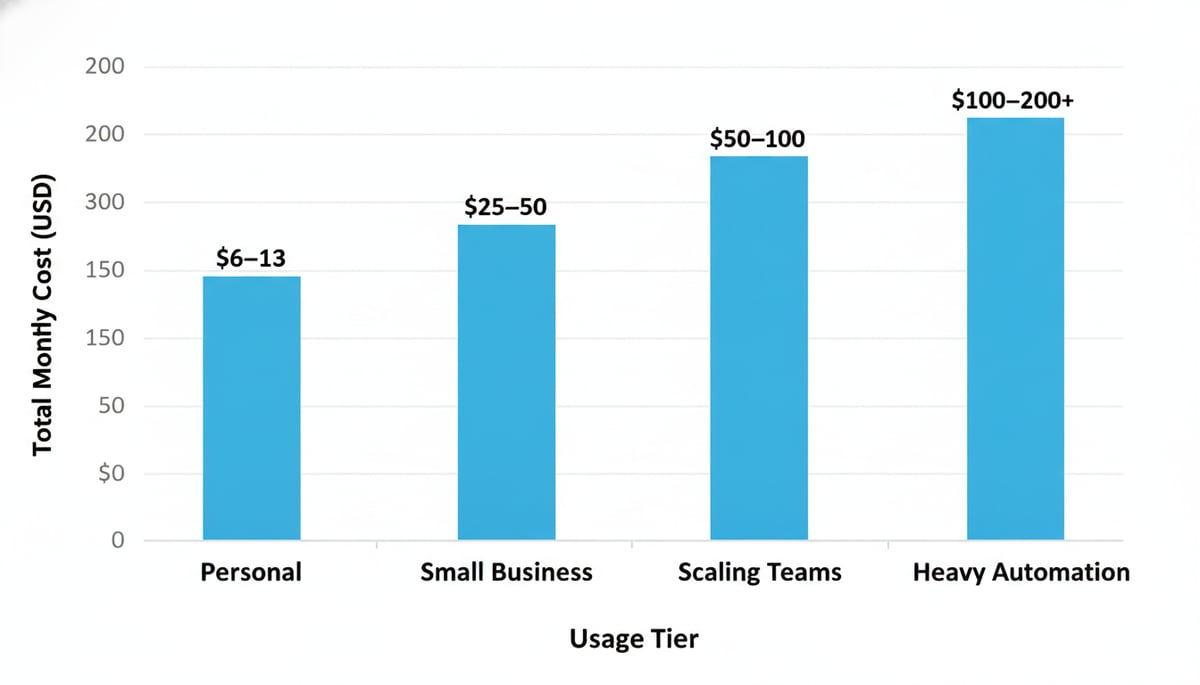
Total monthly cost by usage tier:
| Usage Tier | AI Calls/Month | Hosting | AI Tokens | Total |
|---|---|---|---|---|
| Personal | Under 5,000 | $5–$10 | $1–$6 | $6–$13 |
| Small business | 5,000–10,000 | $7–$15 | $15–$35 | $25–$50 |
| Scaling teams | 10,000–50,000 | $10–$20 | $35–$80 | $50–$100 |
| Heavy automation | 50,000+ | $15–$25 | $80–$150+ | $100–$200+ |
Optional managed offerings. The official pricing page mentions future enterprise features under "OpenClaw Cloud" (SSO, audit logs, dedicated support), and third-party hosted offerings publish paid tiers. If you use one of those, you're in subscription territory even though the underlying software stays free.
The practical answer to "is OpenClaw free": the software is free. Operating it almost never is. Budget $25–$50/month for a typical small business deployment, less if you keep interactions light or run local models, more if you forget to monitor an always-on automation and let it rack up token spend.
Limitations of the OpenClaw AI Agent
Honest list, not a feature comparison:
- Setup friction. It's not ChatGPT. You'll install Node.js, configure YAML, connect a messaging channel, and read GitHub issues when things break.
- Documentation gaps. The project moves fast. Some community guides contradict official docs, and you may need to read source code to understand current behavior.
- Hardware for local models. Running OpenClaw entirely on local models requires a serious GPU. Most users will route to cloud APIs and pay per token.
- Prompt injection is unsolved. OpenClaw ingests untrusted text from web pages, emails, PDFs, and chat messages. Attackers can embed instructions in that data and the agent will execute them as if they came from you. This isn't unique to OpenClaw, but the blast radius is larger because OpenClaw can take real actions.
- Malicious skills in the registry. Cisco's AI security research team tested a third-party OpenClaw skill and found it performed data exfiltration and prompt injection without user awareness.
- Variable cost. Unmonitored automations can silently inflate token spend by 10–30%. Heartbeat-heavy setups on premium models can hit thousands per month.
- No consumer-grade support. If something breaks, you're reading GitHub issues and asking in Discord. There's no help desk.
Privacy and Security Considerations
This is where OpenClaw demands the most attention. The combination of autonomy, system-level permissions, and external integrations creates a much larger attack surface than a chatbot.
Prompt injection. The agent processes instructions from many sources, including emails, web pages, and chat messages. A malicious website, for example, can hide instructions in its content that the agent interprets as legitimate commands. "ClawJacked," a documented vulnerability, let malicious websites brute-force and hijack locally running OpenClaw instances. Treat prompt injection as your #1 practical security risk.
Broad system permissions. To function, OpenClaw needs access to your file system, shell, email, calendar, and messaging platforms. A misconfigured instance exposes all of these. Axios and Wired both reported on these risks.
Malicious skills. The ClawHub skill registry makes extension easy, which also makes supply-chain attacks easy. Always review a skill's SKILL.md and source before installing. Treat skills like packages from npm: useful, but not safe by default.
Data storage. OpenClaw stores conversations, memory, and skills as plain Markdown and YAML files under ~/.openclaw/. That's good for backup and audit, but also means anyone with access to your machine or a backup can read everything.
Network exposure. The default Control UI listens on 127.0.0.1:18789, so it's not exposed to the internet. If you change that to bind to 0.0.0.0 for remote access, you need authentication and TLS or you're broadcasting an open control panel.
Mitigations that actually help:
- Run OpenClaw on a dedicated machine or VM you can unplug.
- Restrict tool policies. Allow email reads but require approval before sends. Permit file reads but block deletions.
- Use a separate API key per integration so you can revoke one if it's compromised.
- Audit skills before installing. Read the SKILL.md, check the source, look at the maintainer's history.
- Monitor token spend. Set budget alerts with your model provider.
- Keep the gateway on
127.0.0.1unless you specifically need remote access.
How OpenClaw Compares to Traditional Chatbots and Other AI Agents
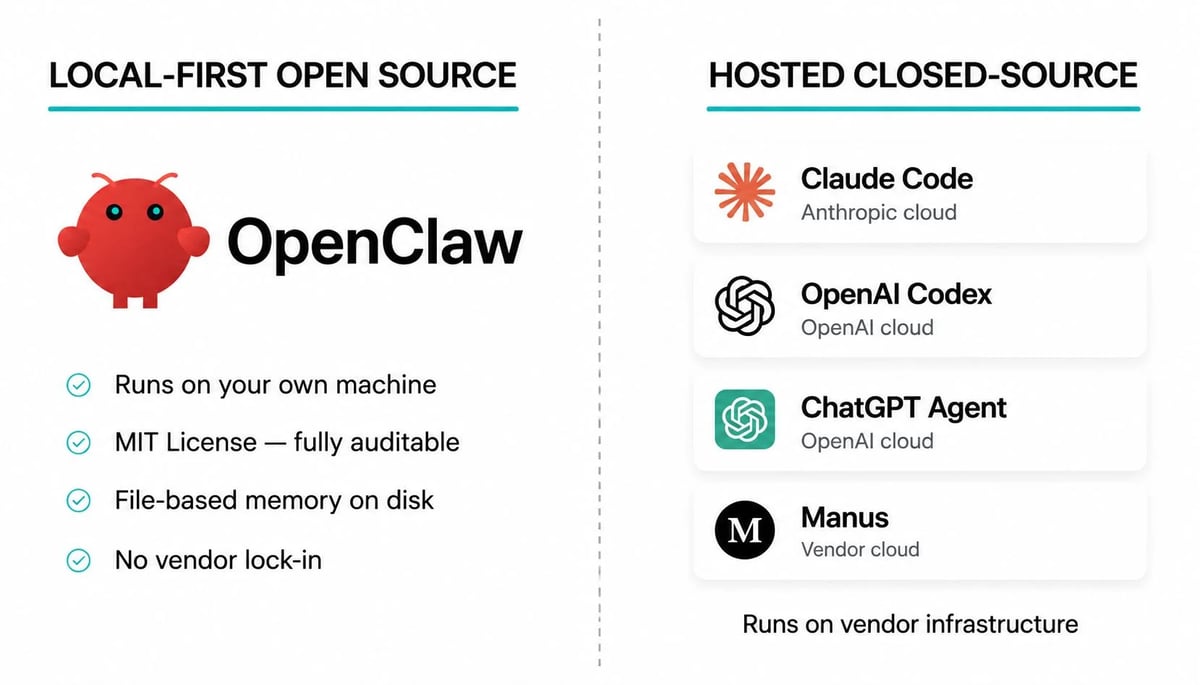
Here's where OpenClaw sits relative to the alternatives readers are likely evaluating:
| OpenClaw | Claude Code | OpenAI Codex | ChatGPT Agent | Manus | |
|---|---|---|---|---|---|
| Open source | Yes (MIT) | No | No (Apache 2.0 CLI, closed models) | No | No |
| Interface | Messaging apps | Terminal, IDE, web, mobile | Terminal CLI, IDE, Codex Web | ChatGPT web and desktop apps | Web dashboard, browser operator |
| Primary focus | Personal + dev automation across tools | Software development and DevOps | Code editing and generation | General-purpose web tasks | Research and content workflows |
| Memory | File-based Markdown on disk | Per-project sessions, optional account memory | Per-session in CLI/editor | Per-task runs with optional account memory | Cloud-side, account-scoped |
| Deployment | Always-on gateway on your machine or VPS | Runs on developer's machine, calls Anthropic API | CLI runs locally, calls OpenAI API | Fully hosted by OpenAI | Fully hosted by Manus |
Versus traditional chatbots (ChatGPT, Claude web, Gemini). A chatbot answers questions in a window. OpenClaw lives in your messaging apps, persists memory across sessions, and takes actions on your files and services. If you need a Q&A assistant, a chatbot is faster and simpler. If you need automation that touches your actual tools, OpenClaw is in a different category.
Versus Claude Code and OpenAI Codex. Both are coding-focused agents that run on your machine and call out to LLM APIs. OpenClaw is broader: it covers personal productivity, browser automation, and cross-service workflows, not just code. Claude Code and Codex have stronger guardrails for development workflows because that's their focus. If you're a software developer, the dedicated tools are a better fit. If you want one agent for personal automation and light dev work, OpenClaw covers more ground.
Versus ChatGPT Agent and Manus. Both are hosted SaaS products. You don't run anything on your machine. You give up local control, but you also skip setup, security hardening, and infrastructure. ChatGPT Agent is good for general web tasks if you already pay for ChatGPT. Manus is positioned for business users who want research and content automation without managing infrastructure. OpenClaw wins on privacy, customization, and cost predictability if you're technical. The hosted tools win on time-to-first-result and ease of use.
Versus LangChain, CrewAI, and AutoGen. These are developer frameworks, not turnkey agents. You write Python, design the architecture, handle deployment, and maintain the code. LangChain/LangGraph gives maximum flexibility for custom products. CrewAI and AutoGen are stronger for multi-agent research workflows. OpenClaw is faster to a working, private, multi-platform agent if you don't want to build one from scratch.
Frequently Asked Questions About OpenClaw AI
What is OpenClaw in simple terms?
OpenClaw is an open-source AI agent that runs on your computer and connects to messaging apps like WhatsApp, Telegram, Slack, Discord, and Signal. You message it like you would a person, and it can answer questions, run shell commands, automate your browser, manage your calendar, send email, and read or write files. The software is MIT-licensed and free.
Is OpenClaw free to use?
The OpenClaw software is free under the MIT license, with no subscription or per-seat fees. Running it typically costs $25–$50/month for small business use, including a VPS for hosting ($5–$15/month) and AI model API tokens ($15–$35/month). Personal projects can run for under $13/month with budget models, and heavy automation can exceed $200/month. You can also run local models through Ollama to drop API costs near zero if you have the GPU hardware.
What is OpenClaw AI used for?
The most common use cases are personal productivity (email triage, calendar management, daily summaries), lead generation for small businesses (prospect research, CRM updates, website audits), developer workflows (shell commands, code edits, CI/CD triggers), and cross-app orchestration (workflows that touch Slack, GitHub, Google Calendar, and your CRM in one go). It also shows up in more experimental projects like autonomous social networks and unattended negotiations.
Is OpenClaw safe to install?
It depends on what you mean by safe. The MIT license means you're free to audit and modify the code, which is good. But OpenClaw requires broad system permissions and is vulnerable to prompt injection attacks, where malicious instructions hidden in web pages, emails, or PDFs can trick the agent into taking unintended actions. Cisco found a third-party skill that exfiltrated data without user awareness. A maintainer publicly warned that the project is "far too dangerous" for users who can't run command-line tools safely. If you install it, run it on a dedicated machine, restrict tool policies, and audit any skills you add.
How is OpenClaw different from ChatGPT or Claude?
ChatGPT and Claude are chatbots. You open a window, type a question, get an answer. OpenClaw is an agent. It runs continuously on your machine, persists memory across sessions, lives in your messaging apps, and can take real actions on your files, browser, and services. If you want a Q&A assistant, ChatGPT or Claude is faster and simpler. If you want automation that touches your actual tools, OpenClaw is in a different category.
Can OpenClaw replace a virtual assistant or SaaS automation tool?
For personal productivity and small-team workflows, yes, with caveats. It can triage your inbox, manage your calendar, file expenses, and run cross-app workflows without a monthly SaaS bill beyond hosting and API tokens. For larger teams, the security review, maintenance burden, and lack of consumer-grade support make managed tools like Manus or ChatGPT Agent more practical. OpenClaw is best treated as a powerful building block for someone technical, not as a drop-in replacement for a managed virtual assistant service.
Conclusion
OpenClaw is the rare open-source AI project that ships real autonomy, not just a chat interface. The software is genuinely free under an MIT license, the architecture is well-documented, and the community has built a deep skill ecosystem in a few months. For developers and small teams who want a private, customizable agent that lives in the messaging apps they already use, it's a strong fit.
The honest trade-offs: real-world cost is API tokens plus hosting, typically $25–$50/month for a small business and easily more if you're not monitoring usage. Setup takes time and command-line comfort. Security is a first-order concern, not a footnote, because prompt injection, malicious skills, and broad system permissions create real attack surface.
If those trade-offs work for you, install it on a dedicated machine, run the onboarding wizard, restrict tool policies from day one, and budget for API spend before you turn on heartbeats. If they don't, a hosted agent like ChatGPT Agent or Manus will get you to a working automation faster, at the cost of local control and customization.
Either way, OpenClaw is worth knowing about. It's the clearest current example of what an open-source AI agent can be when the license, the architecture, and the community line up.